Mechanical Keyboard Sizes: Finding Your Perfect Fit
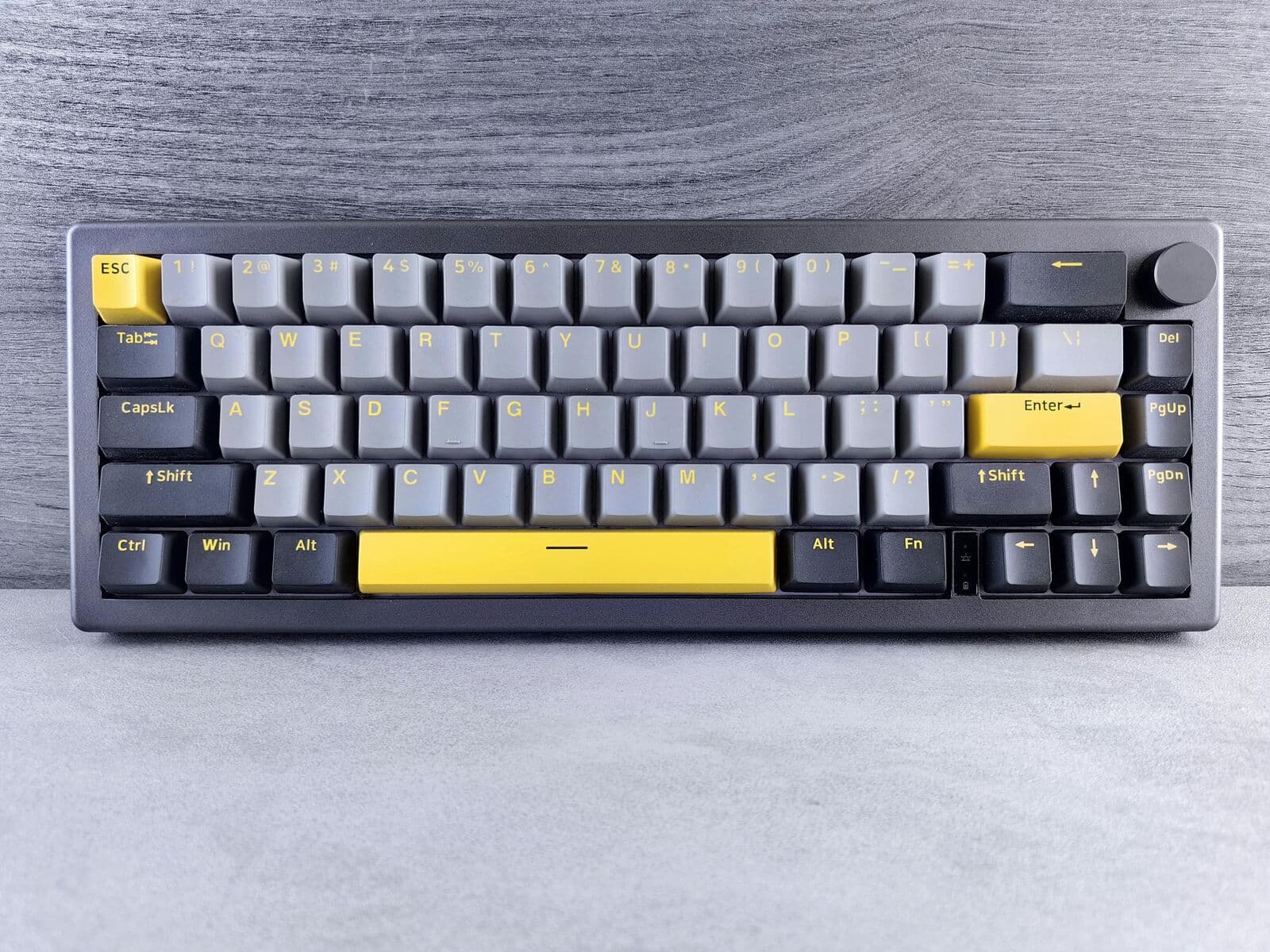
The first decision is often the hardest. Choosing a keyboard size isn't just about desk space—it’s about ergonomics, muscle memory, and how you interact with your computer every single day.
Why Keyboard Size Matters
Mechanical keyboards are measured relative to a "Full-Size" board. If a board has every single key, it's 100%. Anything less is a percentage of that total. Here is the breakdown of the most popular layouts you'll find in the KeebArchive database.
Full-Size (100%)
The traditional 104-key layout. Includes the Numpad, Function row, and navigation cluster.
Best for: Data EntryTenkeyless (TKL / 80%)
Removes the Numpad but keeps everything else. The gold standard for gaming and general use.
Best for: GamingThe Compact Revolution: 60% and 65%
These layouts have exploded in popularity among enthusiasts. By removing the Function row and (sometimes) the arrow keys, you save massive amounts of desk space.
Pro Tip: If you're a programmer or writer, look for a 65% layout. It keeps the arrow keys which are vital for navigating text, whereas a 60% requires holding a 'Function' key to use arrows.
The "Hidden" Layout: 75%
The 75% layout is the "Goldilocks" of keyboards. It features the compact nature of a TKL but squishes the keys together to take up even less space. It’s currently the most sought-after layout in the custom scene.
The Verdict
If you aren't sure where to start, go with a 75% or TKL. They offer the best balance of functionality without the steep learning curve of a minimalist 60% board.
Was this guide helpful?
We're building the most comprehensive database for mechanical keyboard enthusiasts. Explore our products to find the gear mentioned in this guide.